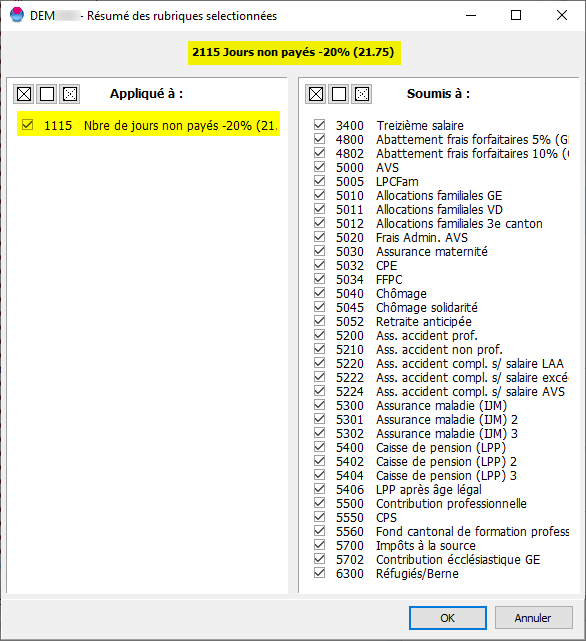
To calculate an amount based on a daily salary according to the number of days worked, you must define the following two item types:
Item 1115 Number of unpaid days -20% (21.75)
With the item type: "Generic unit (e.g. hrs, days, etc.)"
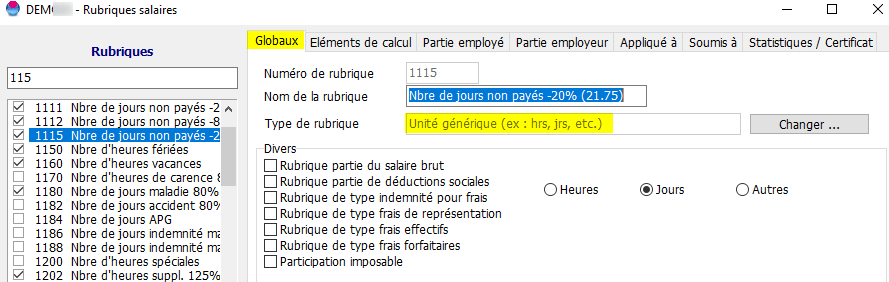
To calculate an amount based on a daily salary according to the number of days worked, you must define the following two items :
Item 2115 Unpaid days -20% (21.75)
With the item type category: "Rubrique jours supplémentaires". When calculating the salary, this type will calculate a daily salary based on the basic salary and the average number of days entered for the employee.
Example: 8000.00 / 21.75 = 367.82 CHF / Day
Tick the option "Gross salary component"
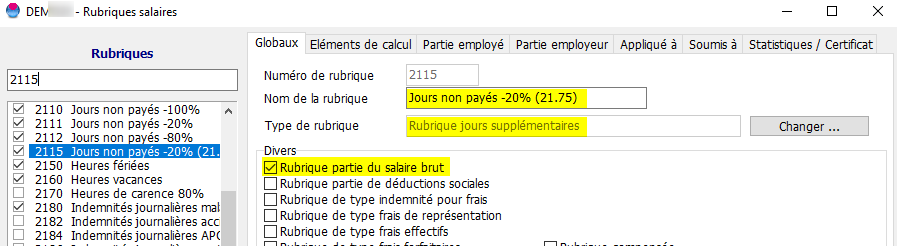
Set the rate to be applied to the daily salary in the "Employee" and "Employer" tabs.
The settings below have been configured for a 20% salary deduction.
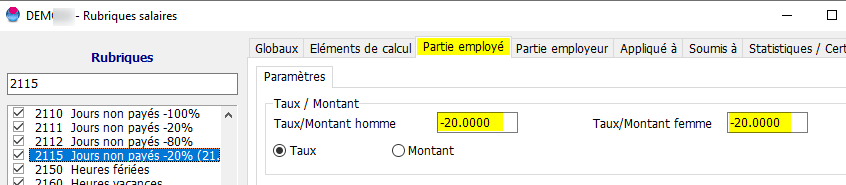
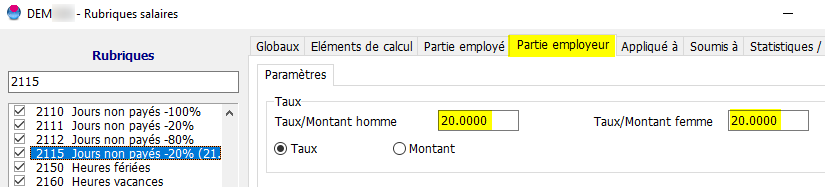
Don’t forget to link the ‘Number of days’ field to this new field in the ‘Applied to’ tab.