
In order to generate the data for the Federal Statistical Office’s quarterly or annualy questionnaire, it is essential to configure tab 9 in Employee Management.
If an employee is not to be included (such as an administrator or other staff member), check the “Exclude from statistics” box.
If a field is left blank, it may initially prevent you from saving changes made to employee records and, subsequently, prevent the questionnaire from being generated and sent electronically.
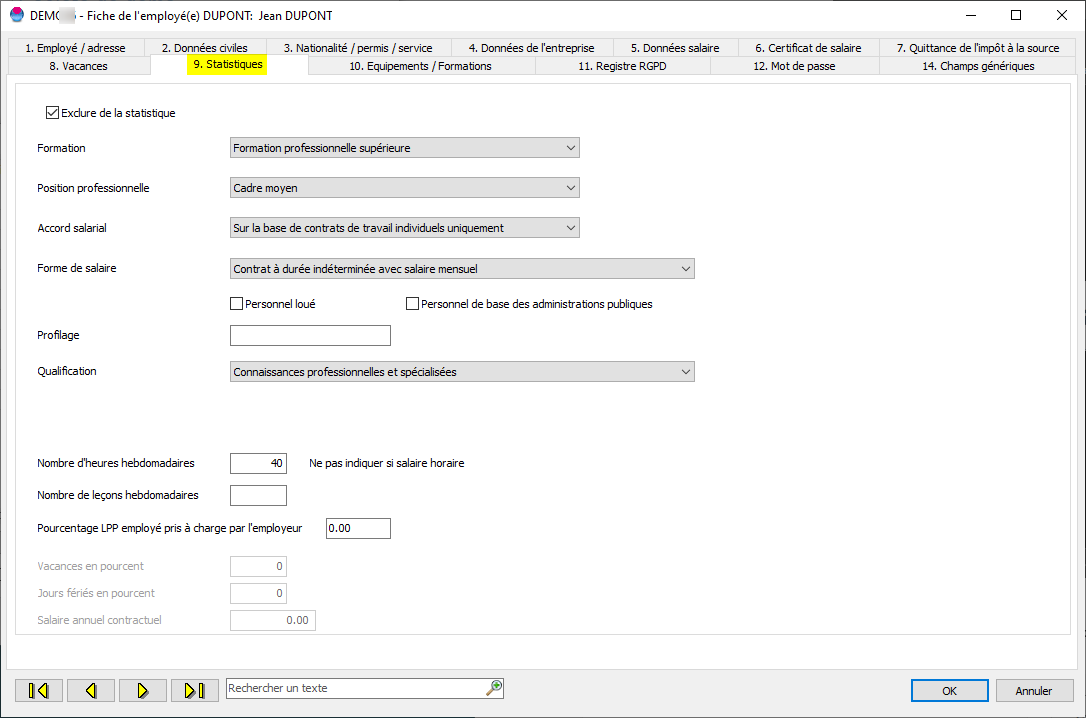
The calculation of the number of weekly hours is based on the average number of hours multiplied by 12 and divided by 52.

You must also specify the employee's occupation in Tab 4 of the employee management section. To do this, the "Occupations" reference table must first be populated before you can enter the occupation for the employee.
The terminology must be as precise as possible.
(Do not use terms such as "employee," "manager," etc.)
You will find an Excel file available for download on the Confederation’s website, which contains all the job titles:
You can also search directly on the FSO website.
Search for occupations on the FSO website
Select the job titles required for your employees and add them to the "Job Titles" tab
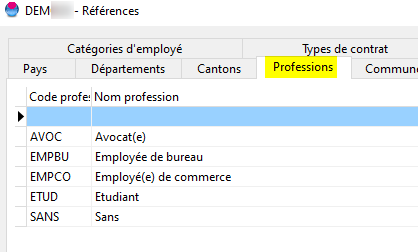
Once the table has been entered, update the "Occupation" codes in the employee records.
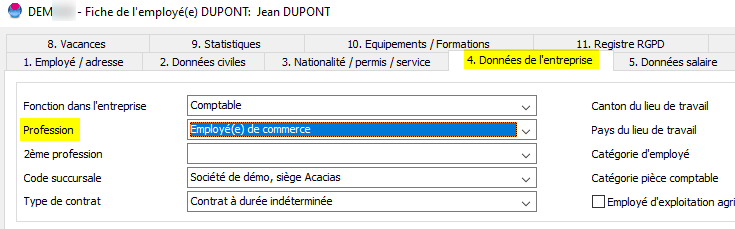
PLEASE NOTE : If the data does not match the correct terminology required by the FSO, they will return the file and ask to correct the datas.