
The information sent to the FSO is based in part on the amounts entered during the year, according to the settings defined in the various salary items.
By default, the current salary items settings are configured according to Swissdec 5.0 standards.
To check or adjust the current settings, you must :
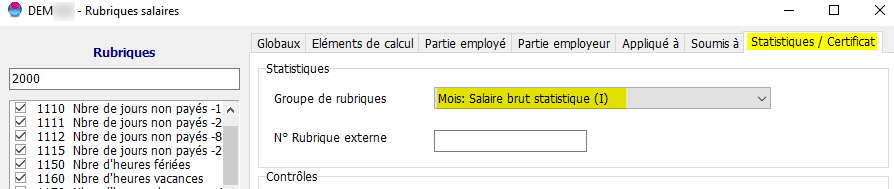
Go to "Settings" - "Salary items":

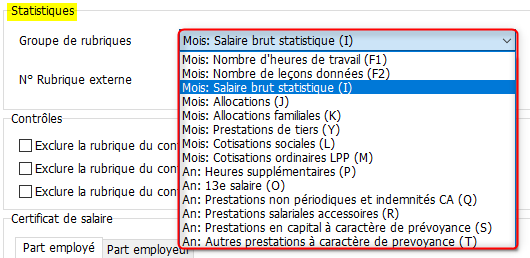
On the "Statistics/Certificate" tab, specify which group the salary item belongs to :
The options are :
See settings based on the directives Swissdec 5.0 in Section 4.2.1, "Standard Pay Types."
(the "Monthly Statistics" and "Annual Statistics" columns)